 Skip to content




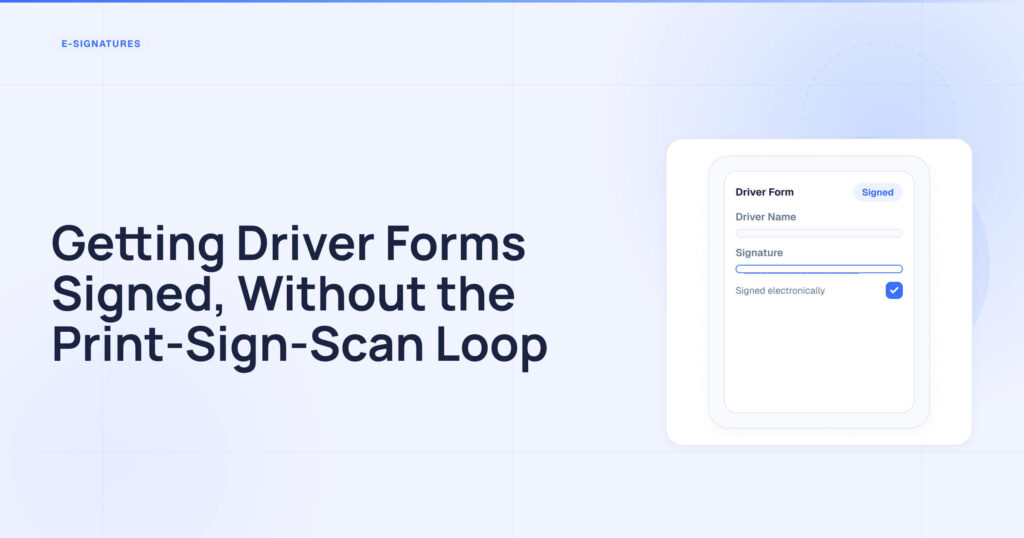
Every new driver you hire generates a stack of paperwork that must be read, completed and signed, and then filed correctly and in the right order, ready for the day an auditor asks for it. None of that work is difficult. However, it can feel like death by a thousand small steps: printing the application, handing it over, waiting, getting back a half-filled page, chasing the missing signature, scanning it, renaming the file and dropping it in the driver’s folder. Multiply that by every form and every driver, and a task that should take minutes takes up an entire afternoon.
This is the part of managing a driver qualification file that is not mentioned in the regulations, yet it dominates your week. Below is a practical guide to what actually requires a signature, where the paper method breaks down and how to handle it more efficiently.
There is also some news that we would like to bring to your attention: we have just launched a feature designed specifically to remove this loop. If you are already a DOT Driver Files customer, you can activate it yourself in a couple of clicks there is no need for a setup call or to wait via the Apps & Add-ons menu at https://app.dotdriverfiles.com/settings/apps/esign. The rest of this guide explains what the feature does and why it matters.
Which of these actually needs a driver’s signature?
It helps to see how much of a driver file depends on a signature before fixing the process. A typical qualification file includes documents that have been signed or completed by the driver, such as:
- The employment application, in which the driver provides their employment history, licence details and experience, and signs to certify its accuracy.
- Drug and alcohol policy acknowledgement: the driver signs to confirm that they have read and understood the policy.
- Company handbook and safety policy acknowledgements — one signature on each document, which change over time.
- The annual review of the driving record involves the driver reviewing and confirming information as part of the yearly process.
- FCRA and background check authorizations — signed consent is required before records can be accessed.
- Any custom form you use, such as equipment receipts, cell phone policies and PPE acknowledgements, must be signed.
Each of these documents requires the driver to provide information — a signature, a date or sometimes a full page of answers. And every one of them, when done on paper, follows the same slow process.
It’s where it breaks down.
The form itself isn’t the problem. It’s everything around it that causes issues once the driver isn’t standing in front of you.
- The driver is on the road. You need a signature, but they’re three states away in the cab. So, it becomes a relay process: you email the PDF, hope they can open it, get it printed, signed and photographed or scanned, and sent back or it just waits until they’re home.
- What comes back is a flat file. Even when they return it, it’s a scan or photo of a signed page. You then download it from your inbox and upload it to the driver’s file manually a step that has to be done every time for every form.
- The upload isn’t connected to anything. That file just sits in the folder. The system doesn’t recognize that it has arrived, so nothing updates automatically you still have to open the file, confirm that it’s the right document and mark the checklist row as complete yourself.
- The information on it is trapped. Whatever the driver wrote license number, dates and answers is locked inside the document as an image. None of it is entered into the system as data, so if you need those details elsewhere, you have to re-type them from the page.
The real cost is a signature you had to chase, a file you had to move manually, and a page full of information that your system can’t read.
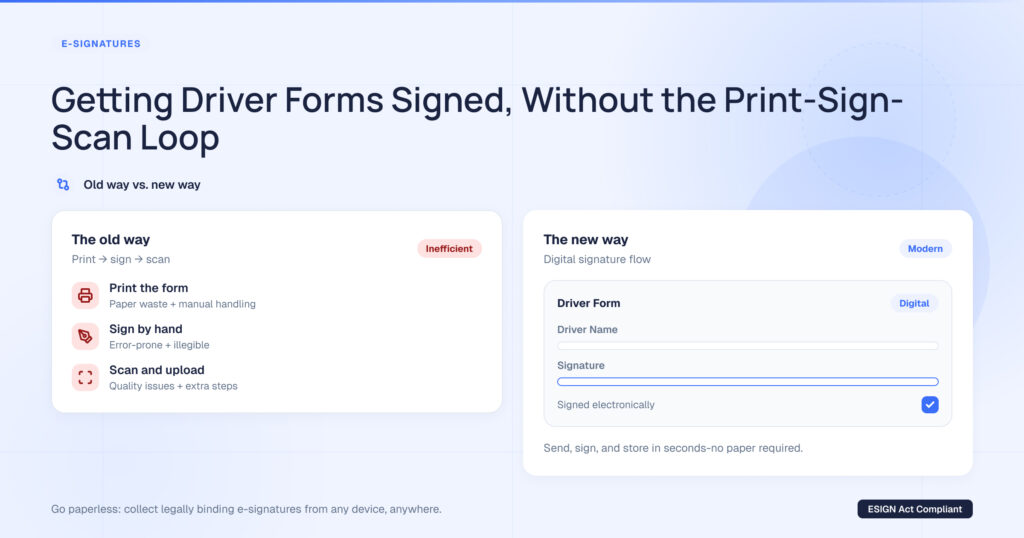
A cleaner way is to sign the document inside the file.
The solution isn’t an additional signature tool. It makes the driver’s document itself fillable and signable, meaning it comes back complete instead of a signature being added separately.
Here’s what it looks like. Take a PDF that you already use, such as an employment application or policy acknowledgement, and place fields directly on it: a text box for the name, a checkbox for the licence class, a date and a signature line. You only need to do this once and it’s saved as a reusable template.
From then on, the document does the work.
Put it in front of the driver, wherever they are. You can attach the form to a qualification category, and every new applicant will fill it in and sign it during their application. Already have the driver on file and out on the road? They can email the form straight from their checklist either one form or every outstanding one at once. They can open it on their phone, type into the fields and sign right there in the cab. No printer, scanner or postage required.
The form files itself and the data is saved automatically. Once the driver has finished, the completed PDF is saved to their qualification file, complete with signature and date. There’s no need to download and re-upload anything because the connection is never lost: the checklist row turns green automatically. Because the driver typed into real fields instead of writing on a scanned page, what they entered is recognized as information by the system not pixels locked inside an image.
Where it helps the most.
There are a few moments when this changes the day:
New-hire paperwork. Rather than handing a driver a packet of forms and hoping they return it complete, you email all the outstanding forms to them at once. They can then fill in and sign each one on their phone in whatever order they like, and each one is filed as they finish.
Policy updates. Update the template once and every new applicant will sign the current version during their application, meaning you will never collect acknowledgements on last year’s handbook again.
Annual reviews. Drivers enter their own answers on the review form and sign it there, rather than returning a blank page with a signature on it.
Your own forms. Any PDFs that you already give to drivers, such as equipment receipts, safety acknowledgements or custom forms specific to your operation, can be created once and filed under your own category. This isn’t limited to federal forms.
One thing it’s not for.
It’s important to be clear about the boundary: this works through the driver qualification file. It’s designed for the documents that your drivers complete and sign. It isn’t intended for sending documents to people who aren’t your drivers, such as vendors, owner-operators you contract with or insurers. If you need to manage driver paperwork, it’s ideal; if you need a general-purpose e-signature tool for anyone, it’s the wrong tool.